How to Import 10000+ Excel Contacts to iPhone/Android in 1 minute
In digital marketing and customer relationship management, the speed of data flow determines the speed of conversion. Are you still manually typing phone numbers into your smartphone? Or are you struggling with complex VCF file formats that just won't sync?
For international traders, e-commerce sellers, and marketing agencies, the ability to Convert Excel to Contacts in bulk is a core daily task. Whether you are trying to import data scraped from social media into your phone or cleaning up CRM databases, a powerful format conversion tool is essential.
This article digs deep into 8 core data processing scenarios and teaches you how to Convert Excel to vCard without software, utilizing a free online tool to solve the dreaded "phone freeze" issue when importing large files.
Why You Need a VCF Converter? 8 Key Marketing Scenarios
Whether you want to perform an Excel to vCard transfer for your phone or extract numbers from existing VCF files, the following 8 scenarios are where bulk conversion technology becomes indispensable:
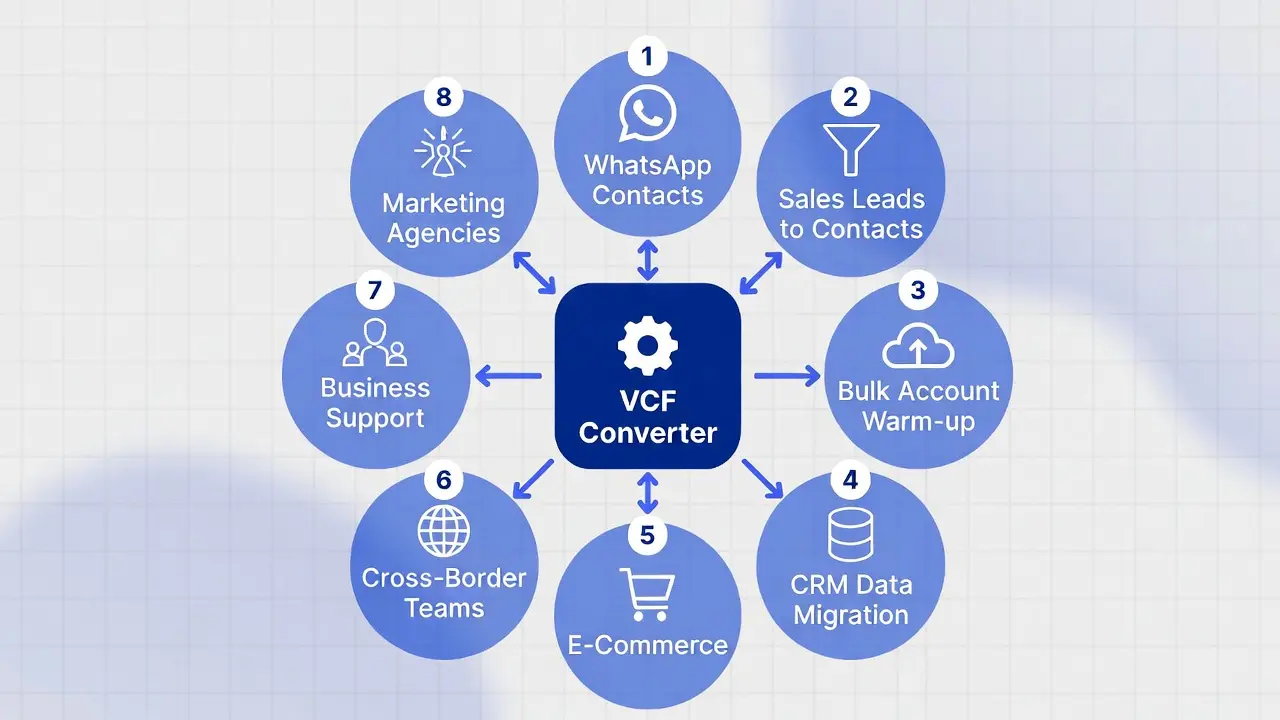
1. WhatsApp Group to Contacts
When you export group members from a competitor's group, the first step is saving those numbers. Scenario: Instantly save exported group members. This is the perfect workflow for handling data from Free WhatsApp Group Number Extractor, allowing you to quickly export group members' contact.
2. Sales Leads to Contacts Converter
Stop adding numbers manually! Scenario: Convert raw lead lists directly into VCF files for instant mobile syncing. By using a Free WhatsApp Number Checker to clean data before the Excel to VCF process, sales efficiency can improve by 10x.
3. Bulk Account Warm-up
New social media accounts often require a "real" social environment to survive. Scenario: Import hundreds of numbers into real phones to simulate normal social relationship chains and increase account aging. This is an essential step before using Free WhatsApp Warmup Tools to effectively reduce the risk of bans.
4. CRM Data Migration
Sales teams often need to switch between desktop CRMs and mobile address books. Scenario: Seamlessly move client lists from CRM systems (eg. WADesk) to mobile devices. Use our Batch Excel To VCF Converter online free feature to ensure your sales team can contact clients anytime, anywhere.
5. E-COMMERCE
E-commerce sellers often hold VCF backups of large historical order data. Scenario: Quickly extract customer numbers from VCF files to use with a Free WhatsApp Bulk Sender for new product notifications or post-sales follow-ups to reactivate dormant users.
6. Cross-Border Teams
Scenario: Convert overseas customer VCF contacts into number lists in bulk for easy import into enterprise CRMs or WhatsApp Business. This solves the issue of messy number formats across different countries.
7. Business Support
Scenario: Turn customer-uploaded or backed-up VCF contacts into digital lists to quickly build a support database. This helps support teams identify customers and improve response times.
8. Marketing Agencies
Scenario: Bulk parse VCF files to generate precise number lists for ad campaigns, cold outreach, and multi-channel engagement. The faster you clean your data, the faster your ads run.
Tutorial: How to Convert Excel to VCard Without Software
Many tutorials recommend downloading expensive desktop software. However, using our online VCF Converter, you can complete the operation directly in your browser for free. This is the most efficient way to handle CSV to VCF or Excel conversions.
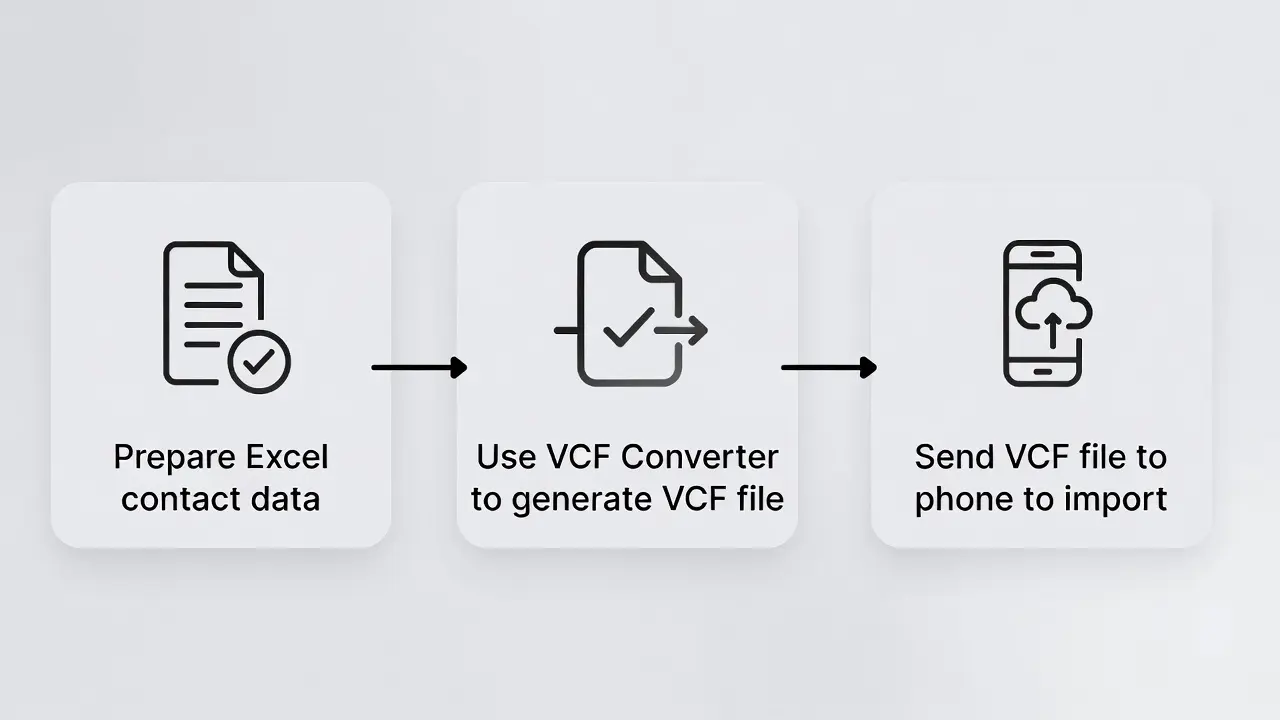
Step 1: Prepare Your Data
Organize your customer data in Excel or CSV or TXT.
- Name Column: Customer name (We recommend adding tags, e.g., "2026Expo_Jack").
- Phone Column: Must include the international country code (e.g., +1, +86) and remove spaces or special symbols.
Step 2: One-Click Conversion (Excel to Contact)
Visit the VCF Converter Page.
- Upload your Excel or CSV file.
- Map the fields (Match the Name and Phone columns).
- Click Generate VCF and download the file.
Step 3: Send to Phone and Activate
- Transfer: Send the generated
.vcffile to yourself via WhatsApp, Email, or a "File Transfer" chat. - Open: Tap the file on your mobile device.
- Import: Select "Copy to Contacts" or "Import all contacts." The system will automatically parse and save all numbers.
The "Anti-Crash" Guide: The 500 Rule for vCard Generators
When dealing with thousands of numbers, directly importing one massive VCF file can cause mobile phones (especially older Android or iPhone models) to freeze, or cause WhatsApp to crash when syncing contacts.
The Best Solution: The Split Strategy when use vcard converter
To avoid system overload, use the tool as a smart vCard Generator that creates manageable chunks:
- Don't do it all at once: Avoid generating a single file with 10,000 numbers.
- The 500 Rule: Split your Excel sheet so each batch contains fewer than 500 contacts.
- Import Gradually:
- Import
Part_1.vcf-> Wait 1 minute (let the system sync). - Import
Part_2.vcf-> Continue waiting.
- Import
- Naming: Name files
List_01.vcf,List_02.vcffor easy management.
Tip: Our online tool allows you to process multiple small files quickly. This "small meals often" strategy guarantees a 100% success rate.
Why Choose This Online VCF Converter?
- Accurate Conversion: Perfectly supports Excel to VCF (saving numbers) covering all 8 scenarios mentioned above.
- Privacy First: All conversions happen locally in your browser. Data is not uploaded to the cloud.
- Completely Free: A true Excel to VCF converter online free with no hidden fees.
- Format Compatibility: Perfectly adapted for Android and iOS systems, solving common "garbled text" issues.

Conclusion
Whether for Account Warm-up or Sales Leads management, mastering bulk import/export techniques is the foundation of digital marketing. By using a professional VCF Converter tool and following the "Split Import Strategy," you can easily manage massive customer data and double the efficiency of your private domain traffic operations.
Free WhatsApp Group Link Scraper 2026: Find & Join Active Groups Automatically
Learn how to use a WhatsApp group link scraper to find, extract, and bulk join target groups from Google & Social Media to boost your B2B leads.
WhatsApp Chat History Export 2026: Safe Guide & Steps
Safe 2026 WhatsApp Chat History Export guide. Learn official steps to export chat to .txt via email and understand Android to iPhone transfer limits.